Stop burning API credits on redundant code.
Litos sits between your IDE and the LLM as a proxy layer. It prunes stale context, deduplicates files, and caches repeat queries before the request ever reaches your provider.
Three ways Litos cuts the bill.
Context Rolling
Automatically ejects stale conversation history and irrelevant file chunks so your agent stays inside the efficient part of the context window.
File Deduplication
Hashes every file in the session and replaces redundant uploads with reference pointers. The same index.ts stops arriving four times per turn.
Pattern Caching
Common utility queries and linting fixes are cached locally. Repeat requests return instantly without another API call.
One hop between your agent and the LLM.
Intercept
Litos reads each outgoing request from Continue, Cline, or Roo before it leaves your machine.
Optimize
Stale context is rolled, duplicate files are deduplicated, and cached patterns are resolved locally.
Forward
Only the lean, relevant payload reaches Anthropic, OpenAI, or your local Ollama endpoint.
See what your agent is spending.
The Litos Chrome extension surfaces per-request token counts, cost estimates, and which optimizations fired — directly in your browser.
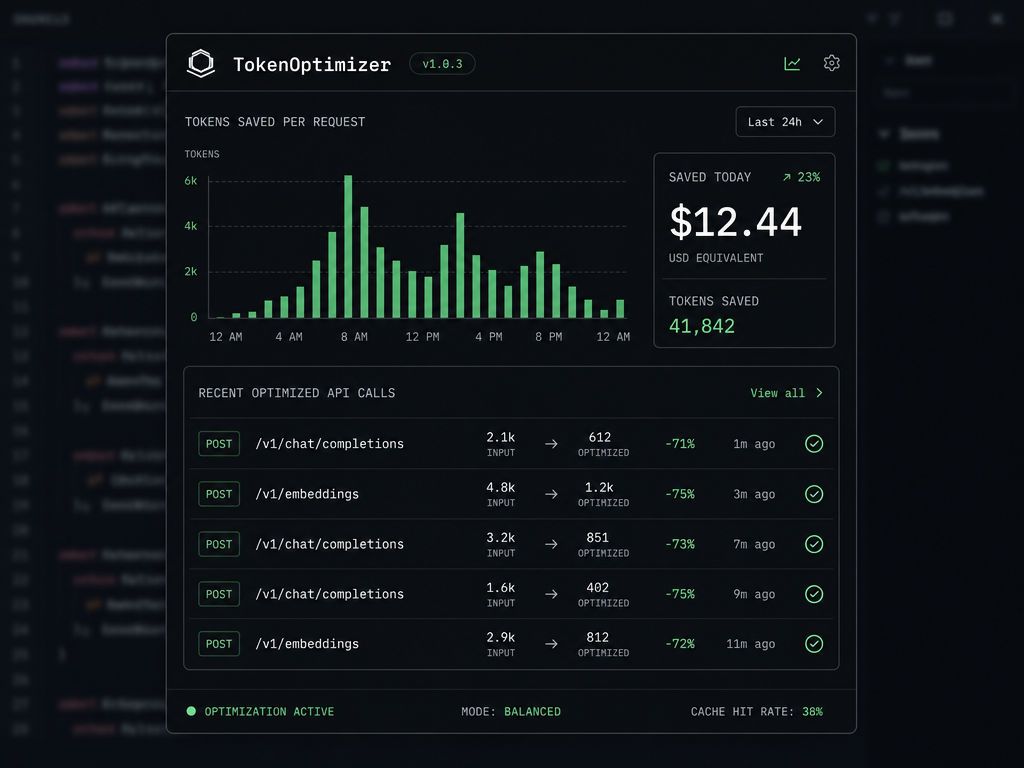
“Know exactly how much every ‘refactor this component’ request costs before you hit the usage limit.”
Ready to optimize?
Free for local models. Individual license for cloud providers. No tracking, no telemetry, no bloat.
- No account required
- Local-first cache
- Open source core